


Key Takeaways
-
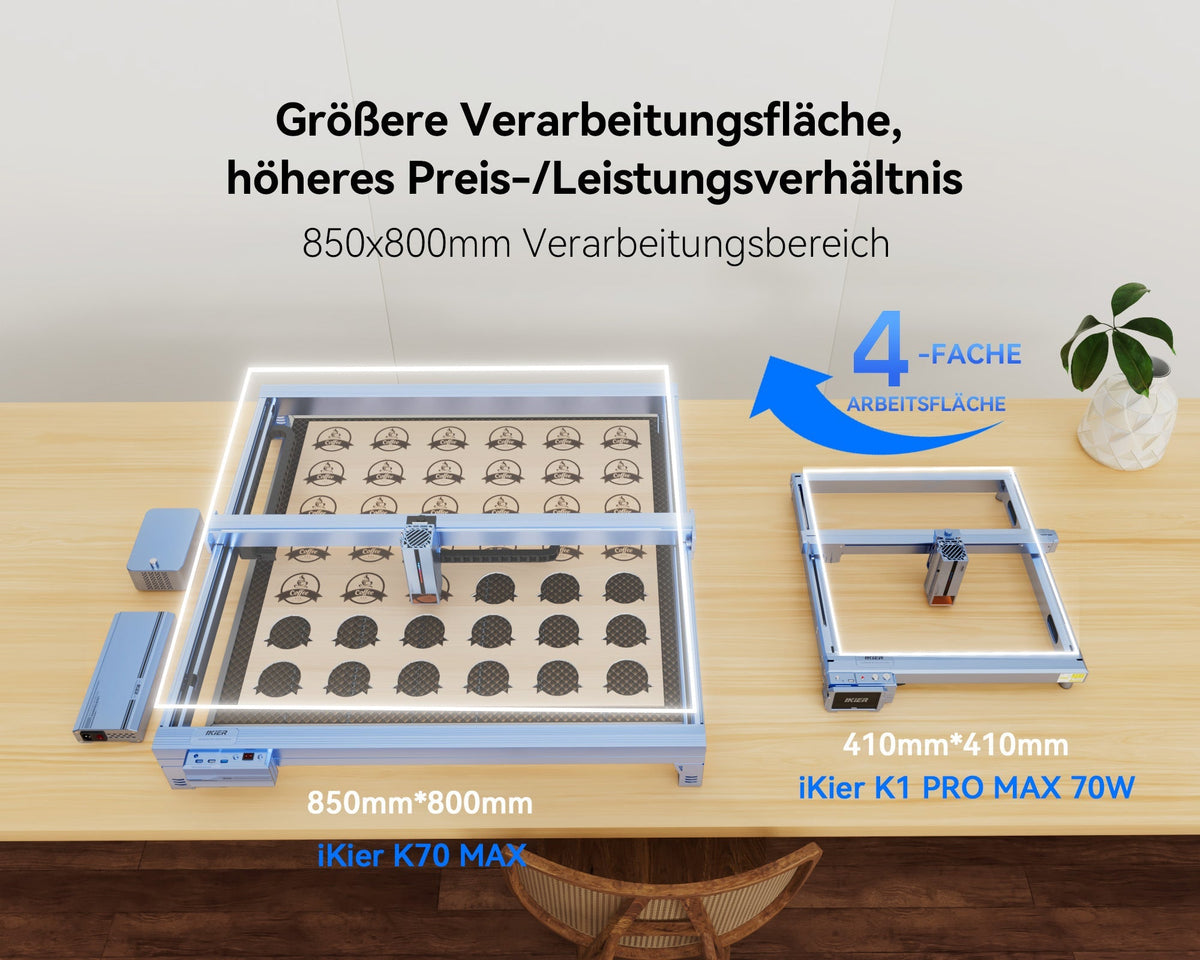
The K70 Max’s 70W-class cutting mode and 850×800mm work area are geared toward thick stock, large layouts, and batch nesting.
-
Higher power also brings greater requirements for space, enclosure, exhaust, air assist, maintenance, and fire safety.
-
Choose among the K70 Max, K40 Max, and K1 Ultra by primary material, size, processing time, and available space—not maximum wattage alone.
-
Dual-power operation gives thick-material cutting and fine engraving their own power and spot-size combinations.
The brings a 70W-class cutting mode to an open 850×800mm work area, putting thick-stock cutting, large signs, and batch nesting on one platform. Plan the machine, enclosure, exhaust, and material-handling space together to make full use of the large-format workflow.

Image: The iKier K70 Max uses 70W mode for thick-material cutting and switches to 35W mode for more detailed engraving.
K70 Max Core Specifications
The K70 Max offers a 70–77W cutting mode and 35–39W engraving mode, an 850×800mm work area, maximum movement speed of 600mm/s, a 0.15×0.2mm spot in 70W mode, a 0.1×0.15mm spot in 35W mode, automatic/manual focus, red-light positioning, automatic step-down cutting, and adjustable 0–60L/min air assist.
The 70W and 35W modes let cutting and engraving use more suitable combinations of power and spot size. When starting a new material, run a speed–power test on scrap first, then save stable combinations in your own material library.
Choosing Between the K70 Max, K40 Max, and K1 Ultra
The K40 Max also offers autofocus, automatic step-down, dual-axis linear guides, and 0–60L/min air assist. At iKier, we recommend defining your maximum finished-product size first, then considering material thickness and cutting cycle time, and finally comparing edges and total processing time using your own primary material. Prices and bundles vary by region and promotion; refer to the product page at checkout.
Five Steps for the First Setup
-
Measure the space needed for the machine, enclosure, honeycomb bed, and material loading, and confirm that the table is level and can support the setup.
-
Assemble the system according to the manual; check cables, limit switches, emergency stop, air assist, and Z axis; then run a motion check without material.
-
Install a compatible enclosure and exhaust/filtration system. Confirm the outdoor outlet, make-up air, and fire-safety conditions; do not operate an open-frame, high-power machine exposed.
-
Clean and secure a thin scrap of known composition, then run autofocus and a low-risk test grid.
-
Start from the recommended material settings and test speed, power, and passes step by step. Save the material batch, front and back photos, and results, then progress from thin to thicker stock.
When Lower Power Is the Better Fit
If you mainly create photos, fine text, thin wood pieces, or only cut occasionally, you may rarely need power beyond the 35W engraving mode. A home workspace that cannot support a large enclosure and effective exhaust should not force-fit the K70 Max because of cut-depth messaging. If your products are smaller and thinner, the K1 Ultra or K40 Max may handle the work with less space and cost.
Where 70W Can Truly Pay Off
The K70 Max can deliver a clear benefit when your core orders use medium-to-thick wood or large signs and cutting time is the actual bottleneck. Before buying, calculate:
Monthly value of machine time saved = (current laser time per item − measured K70 time) × monthly unit count × value per machine hour.
Then subtract enclosure, exhaust, air assist, electricity, maintenance, and financing costs to estimate the real payback period.

AI-composited scene: The machine appearance references official iKier K70 Max product imagery and illustrates batch nesting and cutting for large-format signs.
Conclusion
The clearest value of the K70 Max is its combination of 70W-class cutting, an 850×800mm work area, and a 35W fine-engraving mode. If thickness, pass count, or nesting space limits your core products, review the and calculate saved machine time and added capacity with a set of real order samples.
FAQ
Q1: Is 70W suitable for every material and project? A: Its main advantage is cutting compatible thick materials with fewer passes. For photos, fine text, and thin stock, also compare the 35W spot size, work area, and total processing time.
Q2: Is the K70 Max suitable if I only create photos and fine text? A: You may not fully use its high-power advantage. Compare spot size, work area, footprint, and actual detail results first.
Q3: How do I decide whether the upgrade is worthwhile?

